
Starter
$19 USD
Follow the playbook at your own pace with a printable seven-day challenge.
- 31-page privacy playbook
- 7-Day Privacy Challenge
- Offline reading edition
The Digital Privacy Playbook
Find out what’s public about you. Learn what you can change, then build a privacy routine you can keep.

GHOSTPRINT AI Edition
Protecting your digital privacy shouldn’t require cybersecurity experience. Open the included AI Companion in a compatible assistant for step-by-step guidance and a plan you can make your own.
See the AI Edition order detailsUse the GHOSTPRINT AI Companion as my privacy guide. Help me get started one step at a time.
File support and features vary by assistant and account. Keep addresses, passwords, and private account details out of the chat. The assistant provides guidance. You control the actions you take.
Product previews
Open an actual page from the playbook or worksheets.
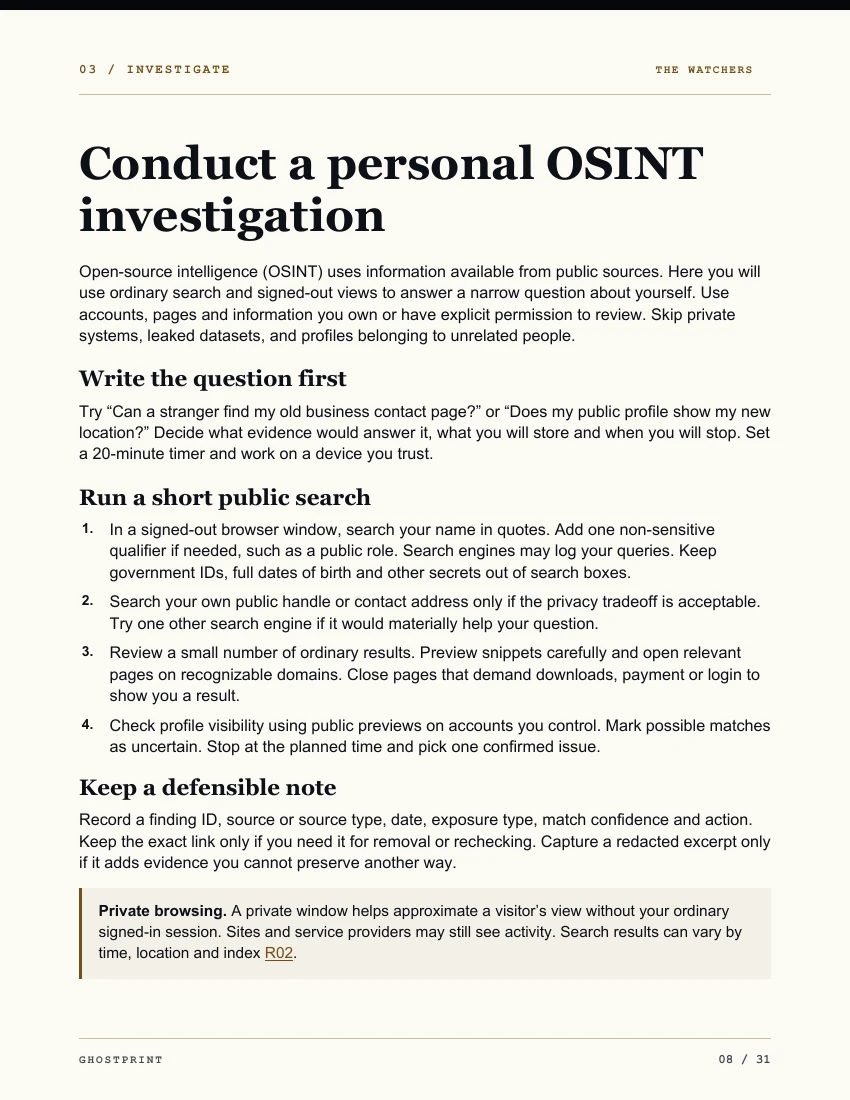 Open the self-audit chapter preview
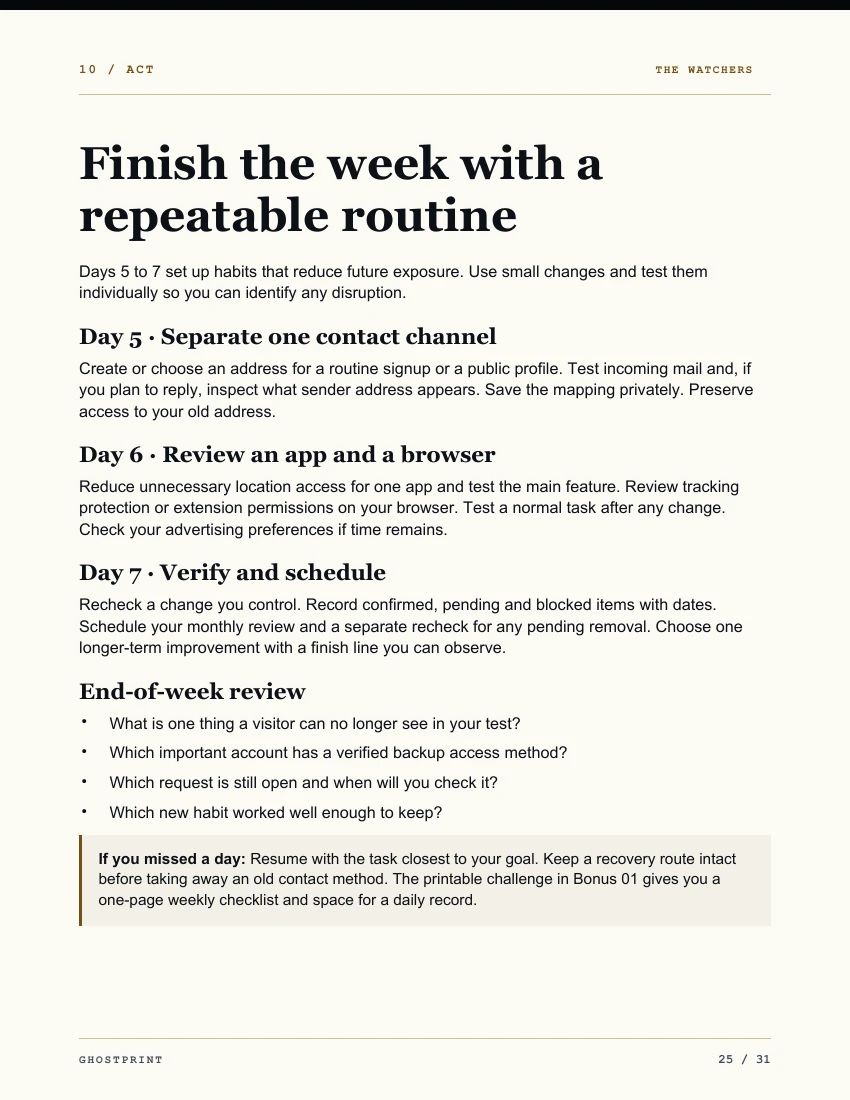 Open the seven-day reset preview
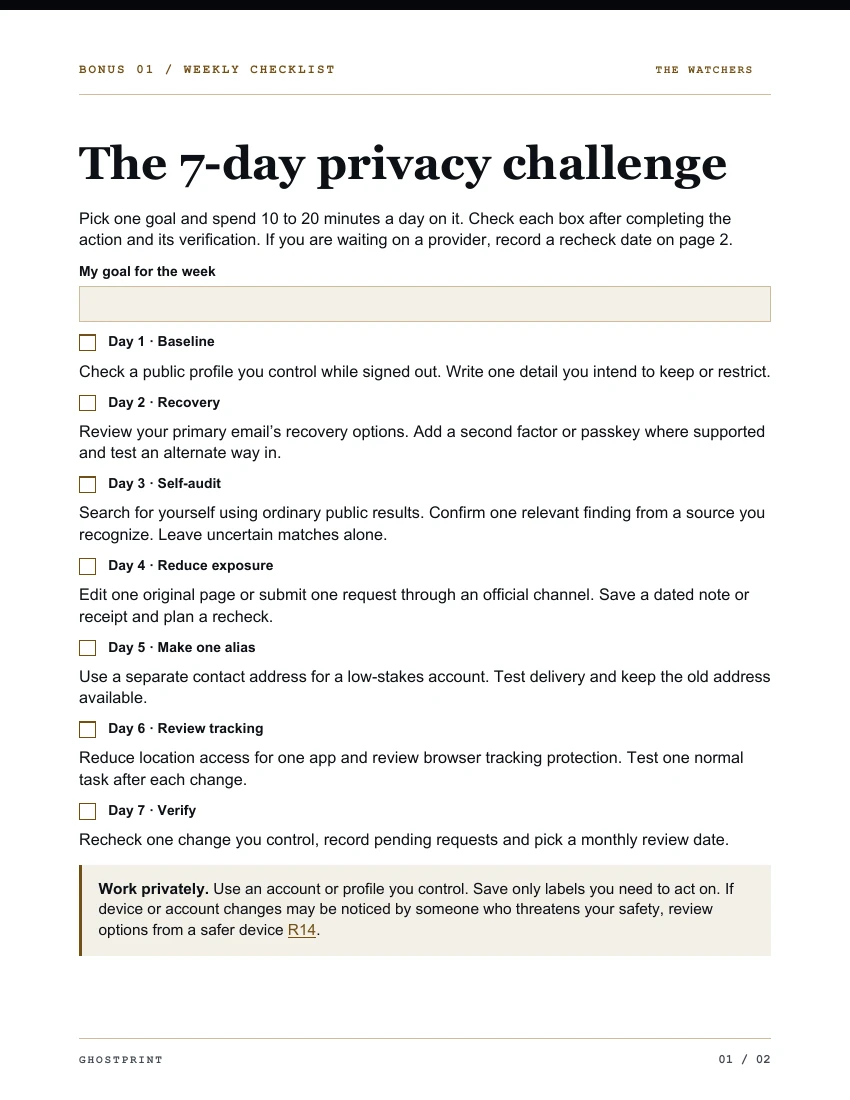 Open the Privacy Challenge preview
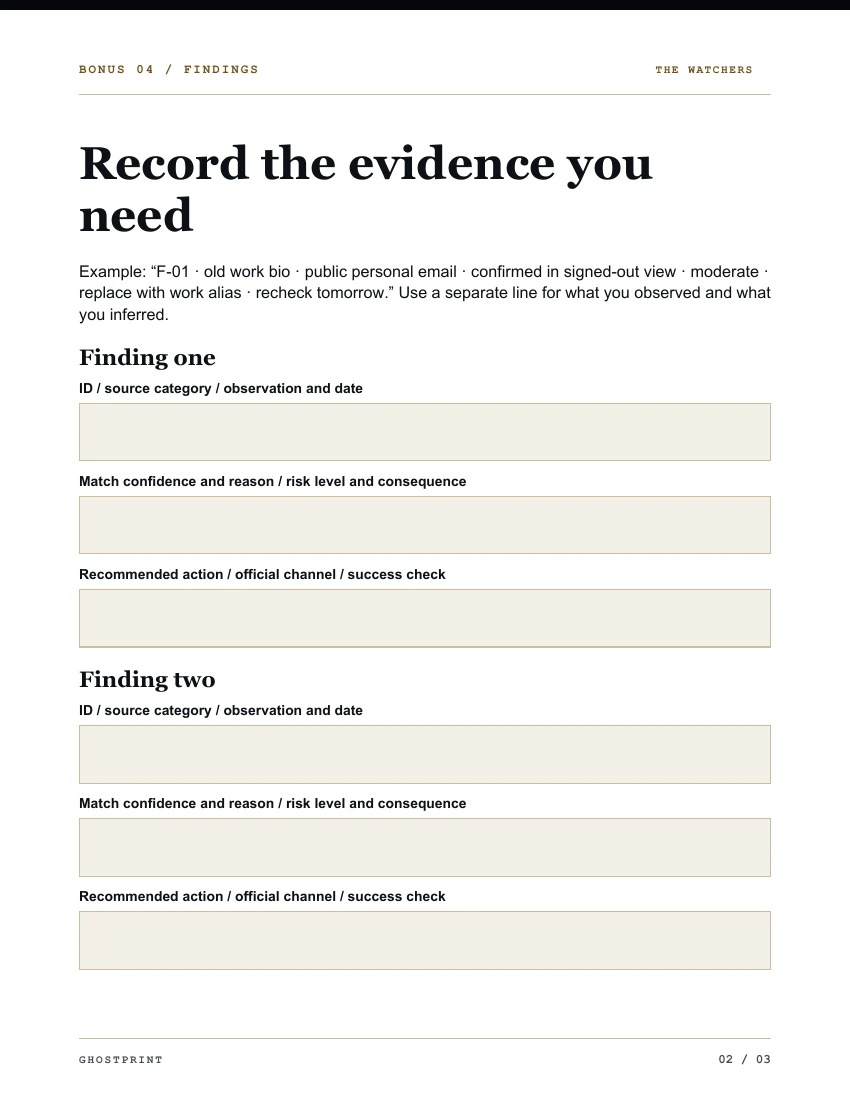 Open the Exposure Audit worksheet preview
AI Edition · Fictional example
Ghost can help you pick a manageable goal, work through the relevant section and decide what to check next.
Reader
I have ten minutes. Where should I start?
Ghost
Let’s pick one goal. Would you rather check what people can see about you or protect access to an important account?
Reader
I’d like to check what’s public.
Ghost
Choose one profile you already own. Open it while signed out and note which fields are visible. Keep the profile link in your own notes.
Choose your edition
Prices in USD. Gumroad confirms the final total at checkout.
$19 USD
Follow the playbook at your own pace with a printable seven-day challenge.
$29 USD
Your personal AI privacy guide, with a plan tailored to you and the complete worksheet toolkit.
The playbook and worksheets work independently. The AI Edition adds optional coaching. File support and features vary by assistant and account.
Extract the ZIP first. Open GHOSTPRINT-AI-Companion.md and upload that file to a compatible assistant. If uploading is unavailable, paste the file’s text into the chat.
A successful request affects only the holder or search result under its scope. Records can still appear elsewhere or return. The playbook shows how to verify one outcome at a time.
Your receipt links to your edition’s ZIP archive. Extract it and open START-HERE.txt. The playbook uses U.S. consumer examples.